Best Local AI Image Generators: A Complete Guide
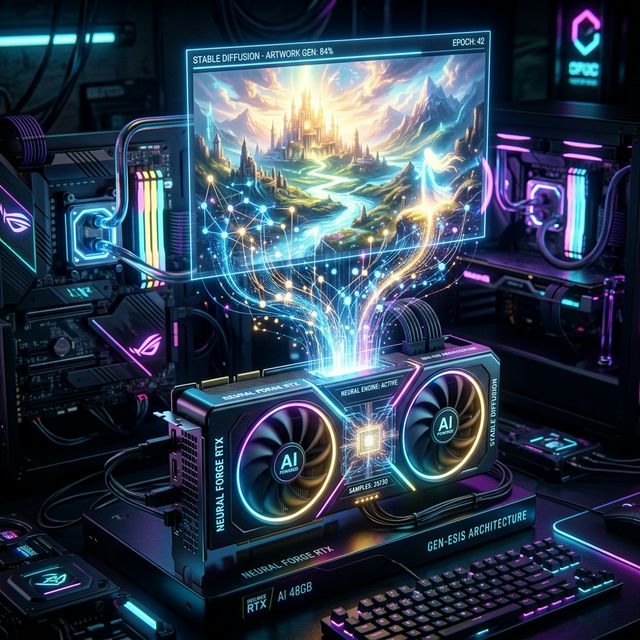
Artificial Intelligence has revolutionized image creation. The ability to generate stunning, unique visuals from a simple text prompt has transformed workflows for artists, designers, and hobbyists alike. While cloud-based generators like Midjourney and DALL-E have dominated the scene, a powerful and increasingly popular alternative is emerging: the local AI image generator.
But what exactly is it, why is it gaining traction, and is it right for you? This comprehensive guide will explore the world of local AI image generators, covering everything from what they are to how to set one up and evaluate if it fits your creative needs.
What is a Local AI Image Generator?
A local AI image generator is software that runs an AI model, typically a diffusion model like Stable Diffusion, directly on your personal computer's hardware, specifically your Graphics Processing Unit (GPU).
In simpler terms: Instead of sending your prompt to a powerful server in the cloud (like with Midjourney or DALL-E) and waiting for it to process and send back the image, a local generator uses the processing power of your own computer to generate the image locally.
How Does a Local AI Image Generator Work?
The heart of a local AI image generator lies in the AI model. These models, which are often open-source (like Stable Diffusion), are trained on massive datasets of millions or even billions of images and their corresponding text descriptions. Through this process, they learn to understand the relationship between words and visual concepts.
When you provide a prompt, the local generator uses your computer's GPU to perform the following steps:
- Text Encoding: Your prompt is translated into a numerical format that the AI model can understand.
- Reverse Diffusion: The model starts with a field of random noise and iteratively refines it, adding detail and coherence based on your prompt and the patterns it learned during training. This is like sculpting an image out of static.
- Image Output: After a set number of iterations (or steps), the final, high-resolution image is generated and saved to your computer.
Why Go Local?
The shift towards local AI generation is driven by several key advantages over cloud-based alternatives:
- Complete Privacy and Control: This is perhaps the biggest draw. When you generate images locally, your prompts and the resulting images never leave your computer. This is crucial for working on sensitive projects, protecting your intellectual property, or simply ensuring your creative ideas remain private.
- No Recurring Costs or Credits: Most cloud-based generators operate on a subscription model or a credit system, where you pay per generation. With a local setup, once you've invested in the hardware, you can generate an unlimited number of images without any additional cost.
- Bypassing NSFW and Content Filters: Cloud-based services have strict content policies. Local generators give you more control and freedom, as you are not subject to a corporation's content guidelines.
- Offline Access: You don't need an internet connection to generate images once the model and software are installed.
- Customization and Fine-Tuning: Local setups allow for extensive customization. You can easily switch between different "checkpoints", use "LoRAs" (Low-Rank Adaptations) to add specific characters or elements, and install various "extensions".
The Trade-offs: Comparing Local AI to Traditional Tools
Is a local AI generator a direct replacement for traditional photography or powerful tools like Photoshop? Not necessarily. It serves a different purpose, and understanding the strengths and weaknesses of each approach is essential.
| Feature | Local Image Generator | Traditional Photography | Digital Tools (e.g., Photoshop) |
|---|---|---|---|
| Source of Creativity | Text Prompt → AI Interpretation | Real-world Scene, Composition, Light | Existing Image + Manual Editing |
| Cost | High Initial Hardware, Free/Low Software | Camera, Lenses, Lighting, Location, Model Fees | Software Subscription (e.g., Adobe Creative Cloud) |
| Level of Control | Prompt-driven, with options for refined control (Inpainting, ControlNet) | High control over composition, lighting, subject, and camera settings | Absolute pixel-level control |
| Realism | Can be highly realistic, but can struggle with details (hands, specific text) | Captures reality directly | Used to enhance or manipulate reality |
| Originality | Generates entirely new images, but can be derivative of training data | Captures a unique moment | Primarily used for modifying existing images |
| Skill Required | Prompt engineering, understanding of local tools | Understanding light, composition, camera mechanics | Mastery of complex software tools |
| Speed | Can be very fast (seconds to minutes per image) | Captures instantly, but setup and editing take time | Depends on complexity of the edit |
| Best For... | Rapid ideation, creating concepts, exploring styles, generating unique art, when real-world resources are unavailable | Capturing specific moments, products, portraits with high fidelity | Retouching, compositing, creating precise graphics, editing existing photos |
- AI Generation is fantastic for conceptualizing new ideas, exploring artistic styles, and generating unique assets quickly.
- Traditional Photography remains the go-to for capturing specific moments, people, and products with the highest degree of realism.
- Digital Tools (like Photoshop) are indispensable for fine-tuning, manipulating, and compositing images. The best workflow often involves a combination of these tools.
What are the Costs of the "Best" Local AI Image Generator?
The software itself (like Stable Diffusion) is typically free and open-source. However, the "best" local AI experience is determined by the hardware you run it on. This is where the true cost lies. A powerful GPU is non-negotiable for reasonable generation speeds.
Minimum Requirements (Basic Experience)
GPU: An NVIDIA GPU with at least 4GB of VRAM. The software is highly optimized for NVIDIA's CUDA cores.
RAM: 8GB (more is better)
Storage: Plenty of fast storage (SSD), as model files can be huge.
Recommended / Best Experience
GPU: An NVIDIA RTX 4070 Ti Super, RTX 4080, or RTX 4090. VRAM is key; 16GB+ is highly recommended for SDXL and modern models. The RTX 5090 is the king for local generation.
RAM: 32GB or 64GB
Storage: 2TB+ fast NVMe SSD
If you are building a PC primarily for local AI generation, you can expect to spend $1000 - $3500+ depending on the complexity of components. Check our AI PC Builder to design a rig for your budget.
How to Set Up a Local AI Image Generator
Setting up Stable Diffusion with a user-friendly interface like Automatic1111 WebUI is the most popular way to get started. Here’s a high-level overview of the process:
- Install Python: Stable Diffusion runs on Python. Download and install a compatible version (usually 3.10.x). Make sure to check "Add Python to PATH".
- Install Git: Git is a version control system used to download the code.
- Install an NVIDIA GPU Driver: Ensure your NVIDIA graphics card drivers are up-to-date.
- Download Automatic1111 WebUI: Clone the repository using Git in your command prompt.
- Download a Model (Checkpoint): Download a pre-trained model file (.safetensors) from Civitai or Hugging Face. Place this file into the `models/Stable-diffusion` folder.
- Run the Generator: Double-click `webui-user.bat` (on Windows). It will download dependencies and eventually give you a URL (like http://127.0.0.1:7860).
- Access the Interface: Open that URL in your web browser. You can now enter a prompt, select your model, and start generating!
Best Non-Local (Cloud-Based) Image Generators
If you don't have a powerful GPU or prefer the ease of a cloud-based service, here are the top options:
- Midjourney: Renowned for its unique, artistic aesthetic and high quality. It runs through Discord.
- DALL-E 3: Famous for its excellent prompt adherence and photorealism. Integrated into ChatGPT Plus.
- Adobe Firefly: Built with a focus on being ethically sourced and creator-friendly. Integrated into Adobe apps.
- Leonardo.ai: A powerful web-based platform built on Stable Diffusion that offers extensive control.
Local AI image generation puts the power of sophisticated creative tools directly into your hands. While it requires a significant initial investment in hardware (specifically VRAM) and a steeper learning curve, the benefits of privacy, cost-effectiveness, and unfettered customization are compelling.
Whether you choose to embrace the control of a local setup or leverage the convenience of the cloud, AI image generators are not replacing human creativity; they are powerful new tools that amplify it.
Frequently Asked Questions
Do I have to pay to use a local AI image generator?
No. Once you have the necessary hardware (like a capable GPU), the software itself, such as Stable Diffusion and interfaces like Automatic1111, is free and open-source. You do not pay per image generated, meaning no recurring subscription fees or credit costs.
Which is better, local AI or cloud-based AI like Midjourney?
Neither is strictly better; they serve different needs. Cloud-based generators like Midjourney offer incredible quality with virtually zero setup and low hardware requirements but require a paid subscription and have stricter content filters. Local generators offer complete privacy, no recurring costs, and deep customization, but demand a significant upfront investment in a powerful PC.
What happens if my GPU doesn't have enough VRAM?
If your GPU lacks the required Video RAM (VRAM) to hold the model and its processes, the generation will either fail with an Out-Of-Memory (OOM) error, or the system will fallback to using your system RAM (which is significantly slower), turning a 10-second generation into a 10-minute one.
About the Author: Justin Murray
AI Computer Guide Founder, has over a decade of AI and computer hardware experience. From leading the cryptocurrency mining hardware rush to repairing personal and commercial computer hardware, Justin has always had a passion for sharing knowledge and the cutting edge.