Best Local AI Video Generators: A Complete Guide
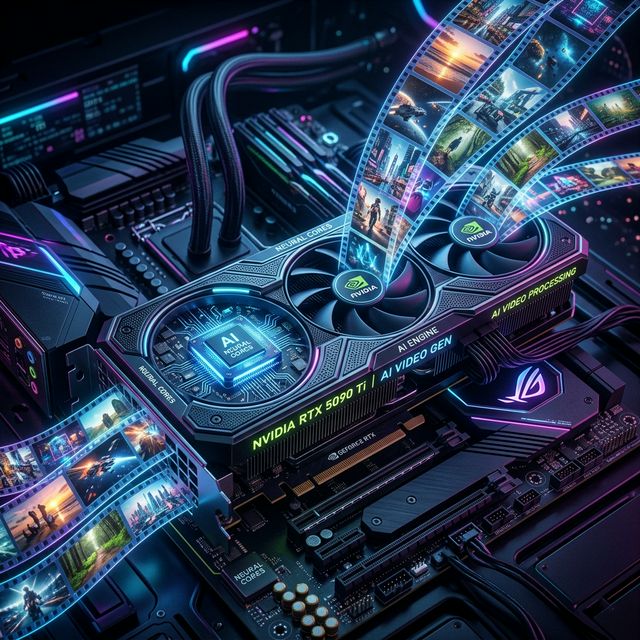
The leap from generating static images to fluid, high-fidelity video on your own hardware has been the "holy grail" of the AI community. In 2026, that dream is a reality.
While cloud services like OpenAI’s Sora and Google Veo make headlines, local AI video generators have quietly become the preferred choice for creators who prioritize privacy, zero subscription fees, and uncensored creative freedom.
This guide explores the best local video models, the hardware you'll need to run them, and how to get your own local "production studio" up and running.
What is a Local AI Video Generator?
A local AI video generator is a software-based model (like Stable Video Diffusion or LTX-2) that runs entirely on your computer's hardware. Unlike web-based tools that process your request on a massive server farm, a local setup uses your GPU (Graphics Card) to calculate every frame of the video.
In the cloud, you pay per second of video. Locally, you pay for the electricity and the initial hardware—the "creative labor" of the AI is absolute free and private.
The Top Local AI Video Models of 2026
While the landscape moves fast, three models currently dominate the local scene:
1. LTX-2 (by Lightricks)
Currently the "gold standard" for open-source local video.
Best for: High-resolution, cinematic 30-second clips.
Why it’s great: It is incredibly efficient. While older models required massive amounts of VRAM, LTX-2 can produce stunning results on consumer-grade hardware (12GB+ VRAM) and even includes synced audio generation in some implementations.
2. Stable Video Diffusion (SVD & SVD-XT)
The reliable workhorse from Stability AI.
Best for: Image-to-Video (animating your existing photos).
Why it’s great: It has the most community support. If you use tools like Automatic1111 or ComfyUI, SVD integrates seamlessly, allowing you to turn an AI-generated image into a moving clip with one click.
3. AnimateDiff
A "plug-and-play" module that turns standard image models into animation engines.
Best for: Stylized animations, anime, and consistent character movement.
Why it’s great: It doesn't require a specific "video model." It uses the hundreds of thousands of custom art styles available on sites like Civitai to create looping GIFs and short clips in any style imaginable.
Hardware Requirements: Can Your PC Handle It?
Video generation is significantly more taxing than image generation. To run these models without your computer crawling to a halt, you need specific specs:
- GPU (The Most Important): You must have an NVIDIA card to use most of these tools effectively.
- Minimum: NVIDIA RTX 3060 (12GB VRAM).
- Recommended: NVIDIA RTX 4070 Ti or 4080 (16GB VRAM).
- The Best: NVIDIA RTX 4090 or the newer RTX 5090 (24GB–32GB VRAM).
- System RAM: 32GB is the sweet spot. 16GB will work for smaller models, but you'll experience crashes on longer clips.
- Storage: At least 500GB of NVMe SSD space. Model files for video are massive (often 10GB–40GB each).
If your current rig is struggling, check out our AI PC Builder to price out an upgrade specifically tuned for local video generation.
How to Set Up Your Local Video Generator
The easiest way to get started in 2026 is using Pinokio or ComfyUI.
Method 1: Pinokio (The "Easy" Way)
Pinokio is an "AI Browser" that automates the technical installation of AI tools.
- Download Pinokio.
- Search for "Stable Video Diffusion" or "LTX-2" in the Discover tab.
- Click "Download" and "Install." Pinokio will handle the Python, Git, and library setups for you.
Method 2: ComfyUI (The "Pro" Way)
ComfyUI uses a node-based interface that gives you total control over the video pipeline.
- Install ComfyUI.
- Download the SVD or LTX-2 checkpoints from Hugging Face or Civitai.
- Drag and drop a "Video Workflow" JSON file into the interface.
- Hit "Queue Prompt" and watch your GPU go to work.
Best Non-Local Alternatives
If your hardware isn't quite there yet, these cloud platforms are the leaders:
- Luma Dream Machine: Incredible physics and realism.
- Runway Gen-3 Alpha: The industry standard for high-end film production tools.
- Kling AI: Currently offering some of the longest and most coherent AI video clips available.
Where to Learn More
- AI Computer Guide: (shameless plug) Your hub for matching the latest models to the perfect PC hardware.
- Civitai: The best place to find custom models and see what others are creating.
- r/StableDiffusion: Despite the name, this is the hub for all local AI video discussion.
- YouTube: Look for creators like Aitrepreneur or Sebastian Kamph for 2026 setup tutorials.
About the Author: Justin Murray
AI Computer Guide Founder, has over a decade of AI and computer hardware experience. From leading the cryptocurrency mining hardware rush to repairing personal and commercial computer hardware, Justin has always had a passion for sharing knowledge and the cutting edge.