Why AI Agents Need More VRAM: Planning Your Hardware for Multi-Agent Workflows
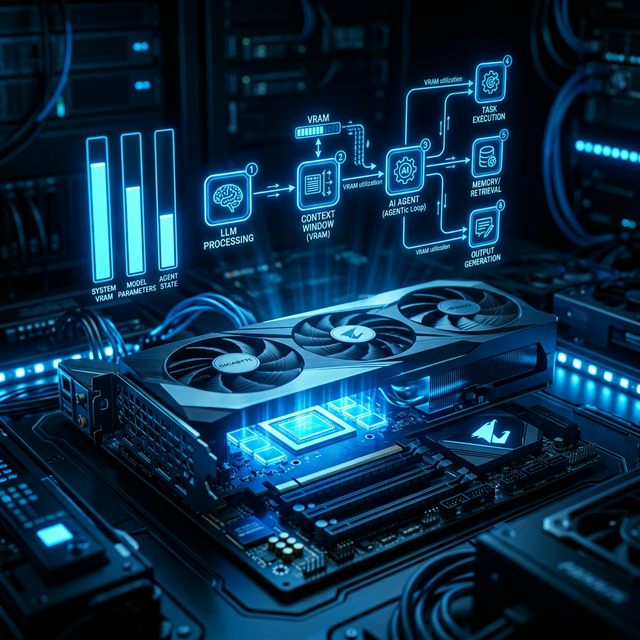
In the "Chatbot Era," VRAM was a luxury for high-resolution models. In the 2026 Agent Era, VRAM is the hard boundary between a system that works and one that crashes. With the rise of autonomous frameworks like OpenClaw (Clawbot), CrewAI, and Microsoft AutoGen, we are seeing a shift: the bottleneck has moved from raw compute (TOPS) to memory capacity and bandwidth.
If you are planning a local AI build this year, here is why you need to over-spec your VRAM—and how to do it right.
1. The "VRAM Trinity": Weights, Cache, and Overhead
Most users make the mistake of thinking: "My model is 12GB, so my 16GB card is enough." In an agentic workflow, that is a recipe for an Out-of-Memory (OOM) error. Your VRAM is split three ways:
- Model Weights: The "static" size of the LLM. A 14B model at 4-bit quantization (Q4) takes ~8.5GB.
- KV Cache (The "Working Memory"): This stores the attention states of previous tokens so the model doesn't have to re-read the entire history every time it takes an "action." In multi-agent loops, this grows linearly and can eventually exceed the size of the model itself.
- System Overhead: 2026 operating systems and background tasks (like your browser or dev environment) take 1–2GB.
2. Multi-Agent Context Multiplication
Standard LLMs handle one conversation. Agents handle swarms. If you run a "Researcher," a "Writer," and a "Manager" agent:
- Each agent requires its own independent KV Cache.
- Parallelism is key for agents. If they run concurrently, you aren't just storing one set of calculations; you're storing three.
The "Cliff" Effect: If your VRAM fills up, the system "spills" to System RAM (PCIe 5.0). On an RTX 5090, internal bandwidth is ~1,800 GB/s. Spilling to system RAM drops that to ~64 GB/s. Your agent goes from "Jarvis" speed to "Dial-up" speed instantly.
3. The Hardware Tier List for 2026
The "Single-Agent" Budget Build (Entry Level)
Best for: Running OpenClaw for basic browser automation and messaging.
GPU: NVIDIA RTX 5070 Ti (16GB GDDR7) or used RTX 3090 (24GB).
Constraint: You'll likely need to use 8B or 14B models. High-context "thinking" models will struggle.
The "Agent Swarm" Sweet Spot (Prosumer)
Best for: Running 3-5 agents in parallel for coding or complex research.
GPU: NVIDIA RTX 5090 (32GB GDDR7).
Why: This is the first consumer card that comfortably handles the "32B" class of models (like Qwen 3 or Llama 4 Scout) with enough VRAM left over for a massive 128k context window.
The "Autonomous Department" (Enthusiast/Workstation)
Best for: Zero-API-cost business automation.
Setup: Dual RTX 5090s (64GB Total) or Mac Studio M4 Ultra (128GB+ Unified Memory).
Note: AMD's new Ryzen AI Max+ with 128GB of unified memory is a strong alternative here, capable of running 120B parameter models locally at "human-chat" speeds.
4. Advanced Optimization: Quantization is Your Friend
In 2026, we don't run models at "Full Precision." To fit more agents in your VRAM, use these techniques:
- 4-bit (Q4_K_M): The industry standard. Minimal logic loss, 50% VRAM savings.
- KV Cache Quantization: New in 2026, tools like Ollama v0.16+ allow you to quantize the memory of the conversation to 4-bit, effectively doubling the number of agents you can run on the same card.
- Flash Attention 3: Ensure your drivers are updated to use FA3, which significantly reduces the memory footprint of long-context windows.
5. Checklist: Before You Buy
Before you pull the trigger on a new AI Computer Guide build, ask yourself:
- Will I run agents 24/7? If yes, look at the TDP. An RTX 5090 draws 575W; a Mac Mini M4 Pro does the same work at 65W.
- Do I need "Thinking" models? Models like DeepSeek R1 or Llama 4 "Reasoning" variants require significantly more VRAM for their "Chain of Thought" processing. Aim for 24GB minimum.
- Is my PSU ready? Don't put a 5090 on an old 750W power supply. You need 1000W+ Gold rated.
Final Verdict
The goal of AI Computer Guide is to help you build a machine that doesn't just "show off" AI, but actually employs it. For 2026, the rule is simple: Buy as much VRAM as your budget allows. You will never regret having extra memory when your agent swarm starts growing.
About the Author: Justin Murray
AI Computer Guide Founder, has over a decade of AI and computer hardware experience. From leading the cryptocurrency mining hardware rush to repairing personal and commercial computer hardware, Justin has always had a passion for sharing knowledge and the cutting edge.