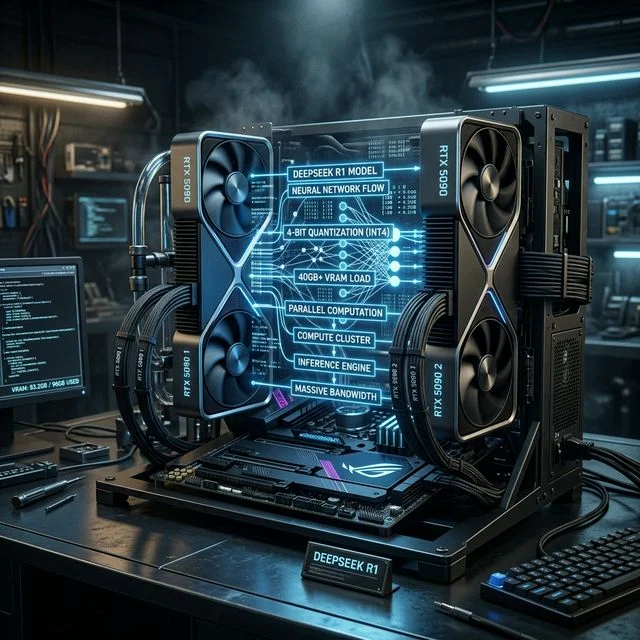
The release of DeepSeek R1 has fundamentally shifted the landscape of local AI. While previous massive models required enterprise-level server racks, advancements in Quantization and precision management have made it possible for prosumers to run this behemoth at home. However, make no mistake: DeepSeek R1 is a giant, and feeding it requires an enormous amount of highly optimized memory.
In this comprehensive guide, we will break down the exact hardware requirements, explain why VRAM dictates everything, and explore why the NVIDIA RTX 5090 and dual-GPU setups have become the gold standard for native inference.
The Architecture of DeepSeek R1
To understand the hardware requirements, we first need to understand what makes DeepSeek R1 unique. Unlike older monolithic models, modern massive LLMs often utilize Mixture of Experts (MoE) architectures, which handle routing logic contextually. While this speeds up the forward pass significantly (because only a subset of parameters is active at any given time), every single parameter must still reside in your active memory pool to prevent catastrophic slowdowns.
DeepSeek R1, at its full uncompressed size (FP16), is over 600GB. Obviously, running this locally on consumer hardware is impossible. The solution? Deep quantization.
Why Quantization Matters
When we talk about running DeepSeek locally, we are almost always talking about the 4-bit quantized version (Q4_K_M) or similar aggressive quantizations.
- Full Precision (FP16): ~600GB VRAM required.
- 8-bit Quantization (Q8_0): ~300GB VRAM required.
- 4-bit Quantization (Q4_K_M): ~40GB to 45GB VRAM required.
- Lower Precision (IQ2_XXS): ~20GB to 25GB VRAM.
Even at 4-bit, the model requires a baseline of roughly 40GB+ of VRAM just to load the weights. This doesn't even account for the KV Cache (the memory required to remember the ongoing conversation) or the context window.
The VRAM Wall: Why a Single Card Isn't Enough
Let's look at the current flagship consumer card: the NVIDIA RTX 5090. It sits at the absolute pinnacle of the Best GPUs for AI in 2026, boasting an incredible 32GB of high-speed GDDR7 memory.
If DeepSeek R1 (at 4-bit) requires ~40GB, and the RTX 5090 provides 32GB, we have an 8GB shortfall. In standard PC gaming, a VRAM shortfall means some stuttering. In local AI inference, a VRAM shortfall is a cliff.
When a model cannot fit entirely into VRAM, the inference engine (like Ollama or LM Studio) must offload the remaining layers to your system RAM. System RAM runs at roughly 50-80 GB/s (for DDR5), whereas the RTX 5090's GDDR7 VRAM runs at nearly 1,800 GB/s. Offloading just a few gigabytes to system RAM can reduce your tokens-per-second generation speed by over 90%, transforming an instant stream of text into a crawling, painful reading experience.
The Solution: Multi-GPU Scaling
To run DeepSeek R1 effectively, you must eliminate system RAM offloading. This requires combining the VRAM pools of multiple graphics cards.
Option 1: Dual RTX 4090s (48GB Total VRAM) The NVIDIA RTX 4090, with its 24GB of GDDR6X memory, was the previous generation's king. Two of these paired together via a standard PCIe riser setup yield 48GB of VRAM. This is enough to comfortably hold a 4-bit quantized DeepSeek R1 with several gigabytes leftover for a massive context window.
Option 2: The RTX 5090 + Secondary Card (48GB+ Total VRAM) A common high-end configuration in 2026 is utilizing the massive bandwidth of an RTX 5090 (32GB) alongside a secondary card like the RTX 5070 Ti (16GB) or even a RTX 4080 Super (16GB). This yields 48GB+ of VRAM. Because the 5090 handles the bulk of the fast matrix multiplication, you reap the benefits of Blackwell's architecture while using the secondary card purely as high-speed storage for the remaining model layers.
Blackwell's Secret Weapon: FP8 Precision
So, why buy an RTX 5090 if two older RTX 4090s or even three RTX 3090s offer more VRAM for less money? The answer lies in the Blackwell Architecture.
NVIDIA's 50-series cards introduced drastically improved FP8 and FP4 support natively on the tensor cores. Older cards treat 8-bit matrices as a fallback or handle them less efficiently. The RTX 5090 is built from the ground up to consume heavily quantized models.
When running highly compressed models, the overhead from constant de-quantization (unpacking the mathematics to execute them) eats into your CUDA cores. The RTX 5090's 5th Gen Tensor Cores accelerate this inherently.
Furthermore, the leap to GDDR7 memory changed everything. Operating at nearly 1.8 TB/s, the RTX 5090 can fetch and serve tokens to the processor exponentially faster than the 4090. If you pair a 5090 with a secondary card, the sheer speed at which the 5090 calculates its 32GB chunk completely masks the slight latency of the secondary PCIe bus interactions.
How to Build a DeepSeek R1 Workstation
If you are planning to build a local workstation specifically to conquer massive models like DeepSeek, you need to think beyond just the GPU. Here is what an Elite Workstation requires:
- Power Supply (PSU): A dual-GPU setup requires immaculate power delivery. The RTX 5090 pulls over 500W alone. If pairing it with an older 4090, you need a minimum of 1600W. For dual 50-series cards, a highly rated unit like the Corsair RM1000x or above is absolutely mandatory. AI inference causes massive transient spikes that will trip a weak PSU.
- Motherboard & PCIe Lanes: Most consumer motherboards throttle the second GPU to PCIe x4 speeds when two cards are inserted. While this doesn't hurt raw VRAM capacity, it slightly slows down layer routing. If possible, look for HEDT (High-End Desktop) platforms like Threadripper, or simply accept the minor bottleneck of an x8/x8 desktop board.
- RAM & CPU: Even if the model sits in VRAM, your CPU must pre-process the prompt before sending it to the GPU. A fast processor with DDR5-6000+ system memory is vital for the initial "Time to First Token."
Conclusion: Is DeepSeek Worth the Hardware Cost?
If you are a developer, an enterprise trying to avoid the "Token Tax" of cloud APIs, or a researcher needing absolute data privacy, building a 48GB+ rig to run DeepSeek R1 locally is an incredibly fast ROI.
While the Llama 3.3 Hardware Requirements are significantly lower, DeepSeek R1 offers nuance and logic reasoning capabilities that rival the best closed-source models in the world. By investing in a high-VRAM Nvidia ecosystem, particularly leveraging the Blackwell 50-series, you are guaranteeing yourself a private, uncensored supercomputer that will remain aggressively relevant for years to come. Utilize our Will It Run? calculator to pinpoint your exact VRAM needs before making a purchase.
About the Author: Justin Murray
AI Computer Guide Founder, has over a decade of AI and computer hardware experience. From leading the cryptocurrency mining hardware rush to repairing personal and commercial computer hardware, Justin has always had a passion for sharing knowledge and the cutting edge.