Best GPU for Local AI & LLMs in 2026
Running a local LLM isn't complicated, but buying the wrong GPU wastes money and leaves you unable to run the models you want. This guide covers every budget tier, from $249 entry-level cards to workstation-class 32GB monsters, with benchmark data and model compatibility tables for each. We also track prices and show the best deals based on our price tracker at https://aicomputerguide.com/deals/.
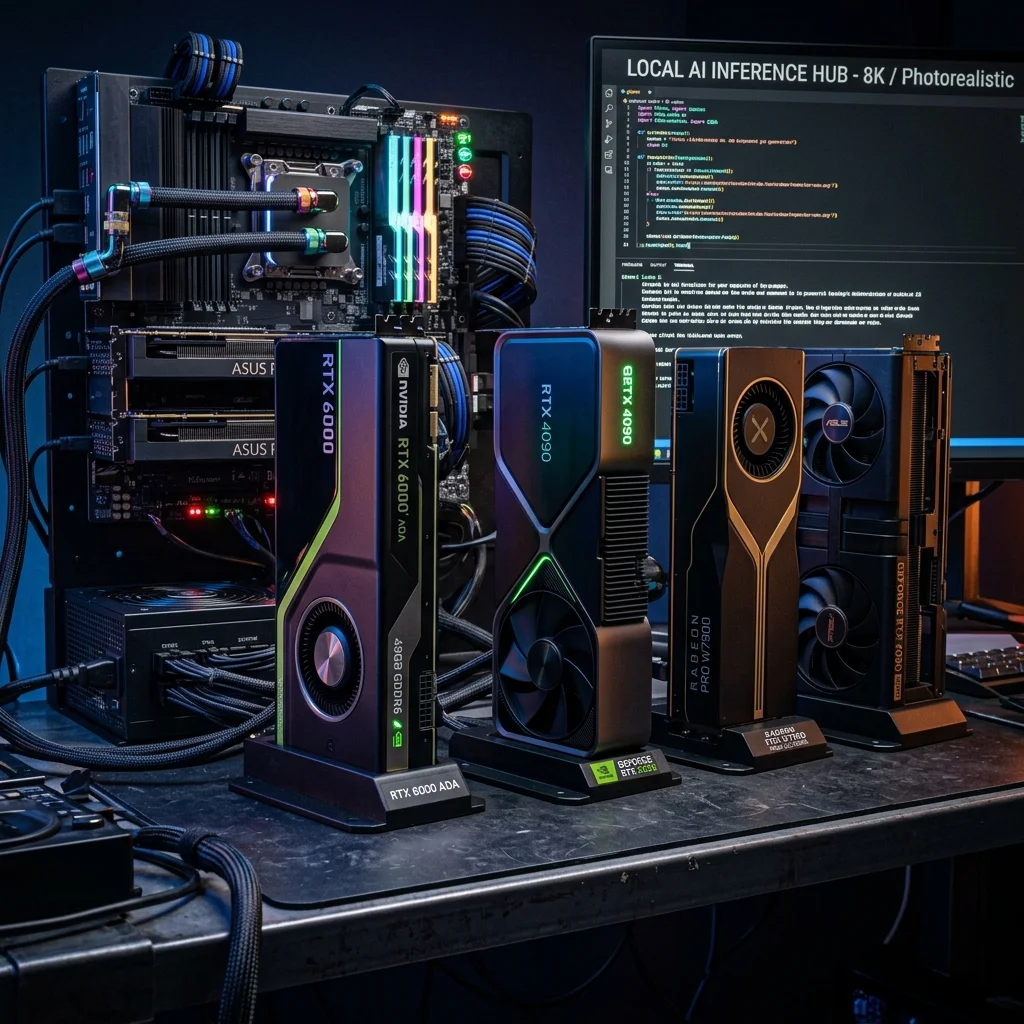
The short version: VRAM determines what you can run. Speed determines how fast you run it.
At a Glance
- Best budget pick ($249): Intel Arc B580 - 12GB VRAM, 62 tok/s on 8B models
- Best value for VRAM ($500-$800 used): RTX 3090 - 24GB for the price of a mid-range card
- Best mid-range (~$500): RTX 4060 Ti 16GB - 89 tok/s on 8B Q4, solid 16GB capacity
- Best high-VRAM under $1,000: RX 7900 XTX - 24GB VRAM, 78 tok/s, runs 30B models
- Best single-card for serious inference: RTX 4090 - 128 tok/s, 24GB, unmatched consumer speed
- Most future-proof: RTX 5090 - 32GB GDDR7, 185 tok/s, runs 70B unquantized
- The universal rule: Prioritize VRAM over compute. A slower card with more VRAM beats a faster card that can't load your model.
How Much VRAM Do You Actually Need?
Before picking a GPU, match your VRAM to your target models. This table covers the most common local LLM use cases:
| VRAM | What You Can Run | Ideal For |
|---|---|---|
| 8GB | 7B models (Q4), 3B–7B unquantized | Quick experiments, small assistants |
| 12GB | 7B–13B (Q4/Q5), limited 20B Q2 | Most home users, coding assistants |
| 16GB | 13B–20B (Q4), 7B–13B full precision | Content generation, longer context |
| 24GB | Up to 32B (Q4), 70B (Q2–Q3) | Power users, researchers, agents |
| 32GB+ | 70B unquantized, 100B+ (Q4) | Full-scale local inference, fine-tuning |
Key insight: Quantization lets smaller VRAM cards punch above their weight. A 12GB card running Llama 3.1 8B at Q4 (4-bit) uses ~5GB - comfortable. The same card with a 70B Q4 model (~40GB) will crash. Know your VRAM ceiling before you buy.
Best GPUs by Budget Tier
Under $300 - Best for Getting Started
Our Pick: Intel Arc B580 (~$249)
The Arc B580 is the sharpest budget GPU for local AI in 2026. At $249, it delivers 12GB VRAM and 62 tok/s on 8B models - faster than any NVIDIA card at this price point (Compute Market, 2026).
The catch: Intel's AI stack runs on IPEX-LLM or OpenVINO rather than CUDA. Setup takes 15–30 minutes longer than NVIDIA, but once running, the performance holds up.
Runner-up: Intel Arc A770 (~$280)
The A770 trades slightly older architecture for 16GB VRAM - a meaningful upgrade over 12GB at basically the same price. In benchmarks, it hits 70 tok/s on Mistral 7B with IPEX-LLM and INT4 quantization (DigiAlps, 2024). The extra 4GB VRAM is worth it if you want to run 13B models without offloading.
Safe choice: NVIDIA RTX 3060 12GB (~$279–$329)
Slower than both Arc options on raw tok/s, but runs on CUDA - which means every tool (Ollama, LM Studio, llama.cpp GPU, Automatic1111) works out of the box, no configuration needed. Best choice if you value plug-and-play over performance.
| Card | Price | VRAM | ~Tok/s (8B) | CUDA? |
|---|---|---|---|---|
| Intel Arc B580 | $249 | 12GB | 62 | No (IPEX) |
| Intel Arc A770 | $280 | 16GB | 70 | No (IPEX) |
| RTX 3060 | $299 | 12GB | ~50 | Yes |
Shop Intel Arc B580 on Amazon | Shop RTX 3060 on Amazon
$400–$700 - Best Mid-Range
Our Pick: RTX 4060 Ti 16GB (~$450–$550)
The RTX 4060 Ti 16GB is the sweet spot for users who want to run 13B models at full Q4 without touching CPU offload. It benchmarks at 89 tok/s on 8B Q4 models and handles 13B comfortably within its 16GB headroom (Core Lab, 2026).
The 128-bit memory bus is the known weakness - bandwidth-intensive workloads don't scale as well as on wider-bus cards. But for single-user chat inference on 7B–13B models, you won't notice. CUDA compatibility means zero friction with any local LLM tool.
| Card | Price | VRAM | ~Tok/s (8B) | Runs 13B? |
|---|---|---|---|---|
| RTX 4060 Ti 16GB | $450–$550 | 16GB | 89 | ✅ Yes |
| RTX 3060 Ti 8GB | $300–$350 | 8GB | ~60 | ❌ No |
Shop RTX 4060 Ti 16GB on Amazon
$700–$1,200 - Best High-VRAM Value
Our Pick: AMD RX 7900 XTX (~$800–$1,000)
The RX 7900 XTX is the best VRAM-per-dollar card in this price range. 24GB VRAM at under $1,000 - the only card in this bracket that runs 30B Q4 models without breaking a sweat. Benchmarks show 78 tok/s on Llama 3 with 33 GPU layers (Decode's Future, 2026).
ROCm support has matured significantly in 2025–2026. Ollama and llama.cpp both work well on ROCm; the main gaps are in fine-tuning and niche training workflows. For pure inference, this card is an exceptional value.
Alternative: RTX 3090 (used, $712–$1,000)
If you want CUDA + 24GB VRAM under $1,000, a used RTX 3090 delivers. You get 112 tok/s on 8B and identical model capacity to the RTX 4090 at roughly one-third the price. See our RTX 4090 vs RTX 3090 comparison for the full breakdown.
| Card | Price | VRAM | ~Tok/s (8B) | Runs 30B Q4? |
|---|---|---|---|---|
| RX 7900 XTX | $800–$1,000 | 24GB | 78 | ✅ Yes |
| RTX 3090 (used) | $712–$1,000 | 24GB | 112 | ✅ Yes |
| RTX 4070 Ti Super | $800–$1,200 | 16GB | ~90 | ❌ No |
Shop RX 7900 XTX on Amazon | Shop RTX 3090 on Amazon
$1,200+ - Best High-End
RTX 4090 (~$2,755 new)
The fastest consumer GPU at 24GB. The RTX 4090 delivers 128 tok/s on 8B models and 52 tok/s on Llama 3.1 70B Q4 - roughly 30% ahead of the RTX 3090 (bestgpusforai.com, 2026). FP8 inference support and Ada Lovelace architecture make it the best single-card choice for agentic pipelines and high-throughput batch jobs.
Caveat: the current street price ($2,755+) is 71% above its $1,599 MSRP, with supply constraints expected through mid-2026. Hard to recommend over a used 3090 unless speed is genuinely critical to your workflow.
RTX 5090 (~$2,900–$3,600 street)
The RTX 5090 is the only consumer card with 32GB VRAM, which unlocks 70B models at full Q4. Performance is striking: 185 tok/s on 8B models and 15–20 tok/s on Llama 3.3 405B quantized (RunPod, 2026). MSRP is $1,999, but street prices run $2,900–$3,600 due to DRAM shortages and scalping.
If you need 32GB VRAM today and can find one at or near MSRP, it's the clear top choice. At scalper prices, the math is harder.
| Card | Price | VRAM | ~Tok/s (8B) | Runs 70B Q4? |
|---|---|---|---|---|
| RTX 4090 | ~$2,755 | 24GB | 128 | ❌ (needs Q2) |
| RTX 5090 | $2,900–$3,600 | 32GB | 185 | ✅ Yes |
Shop RTX 4090 on Amazon | Shop RTX 5090 on Amazon
Full Comparison Table
| GPU | VRAM | ~Tok/s (8B) | Price | Best For |
|---|---|---|---|---|
| Intel Arc B580 | 12GB | 62 | $249 | Best budget CUDA-free option |
| Intel Arc A770 | 16GB | 70 | $280 | Budget 16GB pick |
| RTX 3060 12GB | 12GB | ~50 | $299 | Budget CUDA |
| RTX 4060 Ti 16GB | 16GB | 89 | $450–$550 | Mid-range sweet spot |
| RX 7900 XTX | 24GB | 78 | $800–$1,000 | Best value 24GB |
| RTX 3090 (used) | 24GB | 112 | $712–$1,000 | Value CUDA 24GB |
| RTX 4090 | 24GB | 128 | ~$2,755 | Fastest 24GB, CUDA |
| RTX 5090 | 32GB | 185 | $2,900–$3,600 | 70B+ unquantized |
Model Compatibility Guide
Can your GPU run these popular models? Here's what fits in VRAM at common quantization levels:
| Model | Q4 VRAM | Q2 VRAM | 12GB | 16GB | 24GB | 32GB |
|---|---|---|---|---|---|---|
| Llama 3.1 8B | ~5GB | ~3GB | ✅ | ✅ | ✅ | ✅ |
| Mistral 7B | ~4.5GB | ~3GB | ✅ | ✅ | ✅ | ✅ |
| Llama 3.1 70B | ~40GB | ~20GB | ❌ | ❌ | ⚠️ Q2 only | ✅ |
| DeepSeek R1 7B | ~5GB | ~3GB | ✅ | ✅ | ✅ | ✅ |
| DeepSeek R1 32B | ~22GB | ~12GB | ❌ | ⚠️ Q2 only | ✅ | ✅ |
| DeepSeek R1 70B | ~40GB | ~20GB | ❌ | ❌ | ⚠️ Q2 only | ✅ |
| Qwen 2.5 72B | ~41GB | ~21GB | ❌ | ❌ | ⚠️ Q3 tight | ✅ |
| Llama 3.3 405B | ~230GB | ~115GB | ❌ | ❌ | ❌ | ❌* |
*405B requires multi-GPU or CPU offload regardless of consumer GPU tier.
Takeaway: 24GB VRAM is the practical ceiling for most serious local inference without multi-GPU setups. 16GB handles 90% of hobbyist workflows. 12GB is fine for 7B–8B daily drivers.
FAQ
What's the minimum GPU for running local LLMs? Any GPU with 8GB VRAM can run 7B models at Q4 quantization (Llama 3.1 8B, Mistral 7B). For usable speeds, aim for NVIDIA RTX 3060 or better. The Arc B580 is the best 12GB option under $250.
Is VRAM more important than GPU speed for local LLMs? Yes. VRAM determines whether a model loads at all. Speed (CUDA cores, bandwidth) determines how fast tokens generate. A slower card with enough VRAM beats a faster card that can't fit your model. Always size VRAM first.
Can AMD GPUs run local LLMs? Yes. ROCm support via Ollama and llama.cpp has improved significantly. The RX 7900 XTX is a genuinely competitive option for inference workloads. Fine-tuning and training workflows still favor NVIDIA for ecosystem maturity.
Do I need a dedicated workstation GPU (A100, H100)? Not for home use. Consumer GPUs like the RTX 4090 and RTX 5090 match or outperform older enterprise cards (A100 SXM 40GB) on inference throughput at a fraction of the cost. Enterprise cards matter for multi-GPU NVLink setups and ECC memory reliability.
How does quantization affect quality? Q4 quantization (4-bit) reduces model size by ~75% with minimal quality degradation for most use cases - typically 1–3% on benchmarks. Q2 shows more noticeable degradation on reasoning tasks. For daily chat and coding, Q4 is indistinguishable from full precision.
Will my current PSU handle these GPUs? RTX 3060/Arc B580: 550W minimum. RTX 4060 Ti: 650W. RTX 3090/4090: 850W minimum, 1000W recommended. RTX 5090: 1000W minimum. Check your PSU before buying.
Bottom Line
Pick the GPU that fits your VRAM requirement first, then optimize for price within that tier:
- 12GB cards (Arc B580, RTX 3060): 7B–13B models, best for getting started
- 16GB cards (Arc A770, RTX 4060 Ti): 13B–20B models, the practical sweet spot for most users
- 24GB cards (RX 7900 XTX, RTX 3090 used, RTX 4090): the serious tier - runs everything up to 32B at Q4
- 32GB cards (RTX 5090): future-proof and the only consumer option for 70B unquantized
Not sure which card fits your specific use case? Take the GPU selector quiz for a personalized recommendation, or check current GPU deals for live pricing.
Sources
- Best Budget GPU for AI in 2026 (Compute Market)
- Intel Arc A770 LLM Performance Analysis (DigiAlps, 2024)
- GPU Ranking for Local LLM (Core Lab, 2026)
- RTX 3090 vs RTX 4090 for AI (bestgpusforai.com, 2026)
- Best GPU for Local LLMs 2026 Guide (Decode's Future)
- RTX 5090 LLM Benchmarks (RunPod, 2026)
- Local AI Hardware Requirements 2026 (Local AI Master)
About the Author: Justin Murray
AI Computer Guide Founder, has over a decade of AI and computer hardware experience. From leading the cryptocurrency mining hardware rush to repairing personal and commercial computer hardware, Justin has always had a passion for sharing knowledge and the cutting edge.