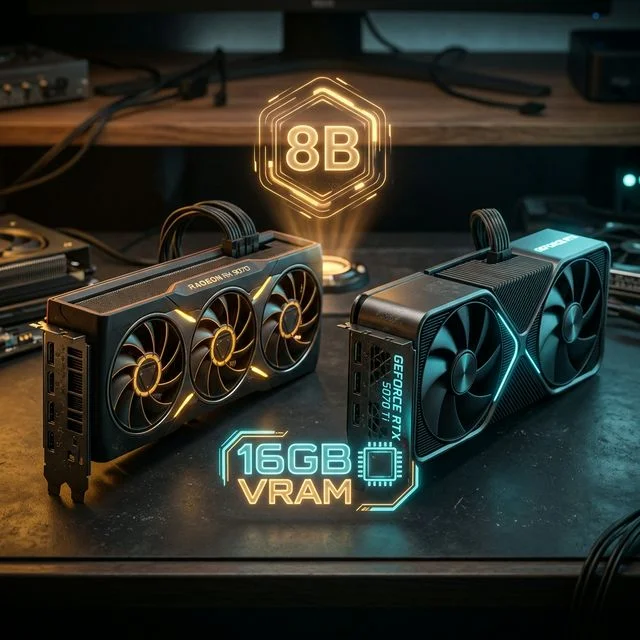
Fine-tuning your own localized AI models is no longer locked behind enterprise hardware. While full-parameter fine-tuning remains computationally oppressive, advancements in PEFT (Parameter-Efficient Fine-Tuning) have completely democratized AI training for the home user. However, one hard truth remains: fine-tuning requires significantly more VRAM than simple inference.
This brings us to the modern prosumer dilemma: How do you build a workstation capable of fine-tuning an 8B model (like Llama 3 8B) without spending $2,000 on a flagship RTX 5090? The answer, universally, is 16GB of VRAM.
In this deep dive, we explore why 16GB is the absolute baseline for custom model creation, and we pit the two greatest budget workstation GPUs against each other: the NVIDIA RTX 5070 Ti and the AMD Radeon RX 9070.
The Mathematics of 8B Model Training
To understand why a 12GB budget card like the RTX 3060 12GB falls frustratingly short for comprehensive training, we must break down the VRAM allocation during a QLoRA (Quantized Low-Rank Adaptation) fine-tuning run on an 8-Billion parameter model.
When you commence training, your VRAM is divided into several strict buckets:
- Model Weights (4-bit Quantized): ~5.5GB to 6GB of VRAM.
- LoRA Adapters: ~300MB to 1GB (depending on your Rank and Alpha settings).
- Gradients (The "Learning" State): ~1GB to 2GB.
- Optimizer States: ~2GB (e.g., AdamW8bit).
- Activations (Batch Processing): ~4GB to 8GB, scaling aggressively with sequence length and batch size.
If you attempt to train Llama 3 8B with a standard 8k context window on a 12GB card, you will immediately hit an "Out of Memory" (OOM) error unless you drastically cripple your sequence length (the amount of text the model can 'read' while learning) down to roughly 512 tokens.
Reducing the sequence length destroys the model's ability to learn long-form context, effectively ruining the fine-tuning for tasks like coding or creative writing.
16GB of VRAM provides the golden cushion. It allows for robust 4k or 8k sequence lengths, moderate batch sizes, and the use of full Unsloth frameworks without crashing.
The NVIDIA Option: RTX 5070 Ti (16GB)
NVIDIA holds a virtual monopoly on the AI training ecosystem due to CUDA. Almost all major Python libraries (PyTorch, TensorFlow, Hugging Face Transformers) are built natively on CUDA architecture.
The RTX 5070 Ti is arguably the strongest mid-range training card in the world right now. It offers exactly 16GB of incredibly fast GDDR7 memory, providing 896 GB/s of bandwidth. More importantly, it features NVIDIA's 5th Generation Tensor Cores, which natively support FP8 Precision training.
If you are a beginner, or if you simply want a seamless "plug and play" experience where every GitHub repository you clone instantly works without troubleshooting compilers, you absolutely must stick to NVIDIA. The $899 price tag of the 5070 Ti is steep for a mid-range naming convention, but in terms of AI workflow efficiency, it pays for itself within weeks.
The Alternative "Red Team" Strategy: AMD Radeon RX 9070 (16GB)
For years, local AI enthusiasts ignored AMD. However, with the release of the RX 9070 and AMD's massively improved ROCm (Radeon Open Compute) ecosystem, the paradigm has shifted.
The RX 9070 provides the holy grail of 16GB VRAM for under $500. It is a stunning, disruptive price-to-VRAM ratio.
The Caveats of Choosing AMD: While PyTorch now natively supports ROCm, running complex Unsloth training scripts or specialized Flash Attention optimizations often requires hunting down specific forks or troubleshooting environmental variables on Linux. (ROCm on Windows is currently deeply inferior to Linux counterparts). If you are technically savvy, comfortable living in Ubuntu terminal windows, and want to save $400, the RX 9070 or the slightly faster RX 9070 XT is an undeniable bargain.
However, be aware that your training runs will take slightly longer. The raw matrix computing power of AMD's RDNA 4 architecture simply cannot match the optimized throughput of NVIDIA's Tensor cores in deep learning benchmarks. But remember: training is a background task. If a training epoch takes 40 minutes on AMD instead of 25 minutes on NVIDIA, but costs thousands less than the Elite Workstation, the value proposition remains high.
What about Used Hardware?
If both $500 and $900 are too expensive for your budget build, the absolute best alternative is the used market.
The RTX 4080 Super frequently hits the second-hand market around $700, offering 16GB of VRAM and blistering CUDA performance. Better yet, the older 30-series occasionally provides amazing deals on highly capable hardware. A heavily used RTX 3090 gives you 24GB of VRAM—the ultimate training luxury—for roughly the same price as a brand-new 5070 Ti.
Conclusion: Plan for the Frameworks
Fine-tuning 8B-tier local AI models at home is perfectly viable on budget-friendly hardware. The hard stop is the 16GB VRAM threshold.
If you want the path of least resistance, standardizing on NVIDIA's CUDA architecture via the RTX 5070 Ti guarantees you won't lose days to frustrating environmental configuration bugs. If you operate exclusively in Linux and enjoy extreme value engineering, the AMD Radeon RX 9070 unlocks that critical 16GB barrier at the lowest possible cost currently on the market. Always use our built in Hardware Comparison matrix to check your local prices before pulling the trigger!
About the Author: Justin Murray
AI Computer Guide Founder, has over a decade of AI and computer hardware experience. From leading the cryptocurrency mining hardware rush to repairing personal and commercial computer hardware, Justin has always had a passion for sharing knowledge and the cutting edge.