Llama 3.3 70B has established itself as the true "sweet spot" for local AI inference. It strikes an improbable balance: offering reasoning capabilities that rival massive proprietary cloud models while remaining just small enough to run on high-end consumer hardware. But exactly what hardware do you need?
In this exhaustive guide, we will break down the precise VRAM requirements, explain how different quantization levels impact your memory footprint, and provide clear hardware recommendations, from the RTX 5090 down to budget-friendly multi-AMD setups.
Understanding the True Size of 70B Models
The "70B" in Llama 3.3 means the model contains roughly 70 billion parameters. In its native, uncompressed 16-bit floating-point (FP16) state, you can calculate the baseline VRAM requirement with simple math: 70 billion parameters × 2 bytes per parameter = 140GB of VRAM.
Obviously, you are not buying an 8-GPU server rack for your living room. To run this at home, we rely on Quantization — the mathematical art of compressing parameters from 16-bit numbers down to 8-bit, 4-bit, or even 2-bit approximations.
The 4-Bit Standard (GGUF/EXL2)
For the vast majority of local AI enthusiasts, 4-bit quantization (such as Q4_K_M in the GGUF format or 4.0bpw in EXL2) is the golden standard. At 4-bit, you experience less than a 2% degradation in the model's intelligence, while drastically shrinking its footprint.
At 4-bit, Llama 3.3 roughly requires:
- Model Weights: ~40GB of VRAM just to load the core file.
- Context Window / KV Cache: ~2GB to 8GB of VRAM, depending on how much history you want the model to remember during the chat.
- Total Comfort Zone: ~48GB of VRAM for flawless, lightning-fast inference.
Wait — doesn't the NVIDIA RTX 5090 only have 32GB of VRAM? Yes. And this is where hardware strategy becomes critical.
Strategy 1: The "Elite" Single GPU + System Offload
If you own a flagship RTX 5090 (32GB) or an older RTX 4090 (24GB), you cannot fit the entirely of a 4-bit Llama 3.3 into your graphics card.
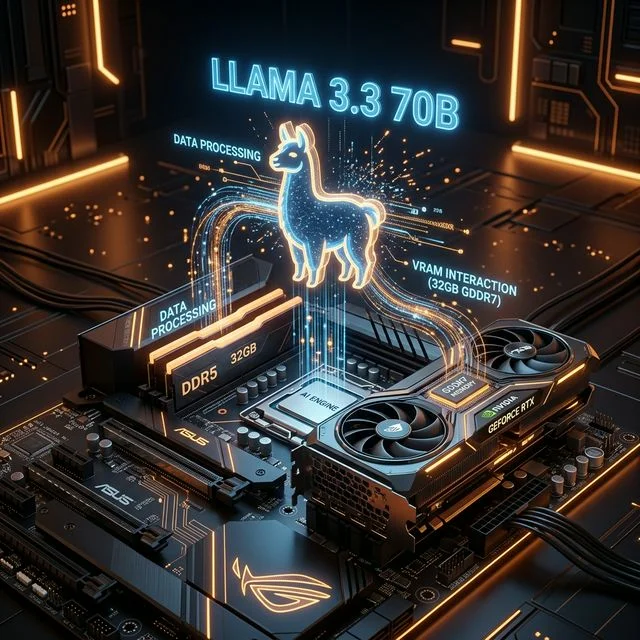
The inference engine (like Ollama or LM-Studio) will automatically load 32GB of the model into your lightning-fast GDDR7 VRAM, and "offload" the remaining 10GB+ to your regular system RAM (DDR5).
The Result: Because the RTX 5090 processes its portion of the data so incomprehensibly fast (at nearly 1.8 TB/s bandwidth), the penalty of offloading the final layers to system RAM is somewhat masked. You will still achieve very readable generation speeds (often 8 to 15 tokens per second), but your CPU and system RAM must be fast. An Intel Core i9-14900K with DDR5-6400+ is highly recommended if you plan to rely on system RAM offloading.
Strategy 2: The Multi-GPU Approach (Zero Offloading)
If you want blistering, instantaneous generation speeds (25+ tokens per second), you must embrace the "Zero Offload" philosophy. Every single layer of the model must reside in VRAM.
To hit the 48GB target, you need multiple cards. Because inference routing is linear (the data literally travels from Card 1, finishes its math, and goes to Card 2), you do not need NVLink, SLI, or matched cards. You just need PCIe slots and a massive Corsair RM1000x PSU.
Popular Multi-GPU Combinations:
- The "Used Market Special": Two RTX 3090s. (24GB + 24GB = 48GB). This is the cheapest way to achieve native 70B inference.
- The "Modern Flex": One RTX 5080 (16GB) + One RTX 5090 (32GB) = 48GB.
- The "Budget Red Team": Three AMD Radeon RX 9070s (16GB + 16GB + 16GB = 48GB). While Rocm (AMD's AI software stack) is slightly harder to set up, getting 48GB of VRAM for around $1,500 is an unbeatable value.
Strategy 3: Extreme Quantization (IQ2 / 2.5-Bit)
What if you refuse to build a multi-GPU rig and want to run Llama 3.3 entirely inside the VRAM of a single RTX 5090?
Enter the extreme "I-Quants" (Imatrix Quantizations). By compressing the model down to ~2.5 bits per parameter (IQ2_M or IQ2_S), the total model size shrinks to roughly 26GB.
When you load a 26GB model into the RTX 5090's 32GB VRAM pool, you are left with ~6GB of VRAM specifically dedicated to the KV Cache. This allows you to process entire PDFs or long codebases instantly.
Is there a catch? Yes. At 2.5-bit quantization, Llama 3.3 begins to lose some of its nuanced reasoning capabilities. It is still brilliant, but it may struggle slightly with highly complex logic puzzles or dense coding architectures compared to its 4-bit counterpart. However, the speed of executing a model entirely inside GDDR7 memory is breathtaking—expect speeds north of 40 tokens per second!
Don't Forget the Mac Studio
It is impossible to talk about Llama 3.3 without mentioning the Apple Mac Studio (M4 Max). Apple silicon uses "Unified Memory." If you buy a Mac with 64GB or 128GB of Unified Memory, the GPU has direct, high-bandwidth access to all of it. A 128GB Mac Studio can swallow a 4-bit Llama 3.3 effortlessly, running it entirely in VRAM with zero PCIe bottlenecking. While raw tokens-per-second might be slightly slower than dual NVIDIA cards, the simplicity and power efficiency are unmatched.
Conclusion
Llama 3.3 is the ultimate daily driver for the local AI enthusiast. If you are serious about privacy and capability, targeting a 48GB VRAM pool across multiple used RTX 3090s or a mix of modern 50-series cards is the definitive path forward. If you are constrained to a single card, the RTX 5090 combined with IQ2 quantization provides a stunning, premium experience that easily offsets cloud API costs within months.
Explore our AI Computer Builder to mock up your perfect Llama 3.3 rig today.
About the Author: Justin Murray
AI Computer Guide Founder, has over a decade of AI and computer hardware experience. From leading the cryptocurrency mining hardware rush to repairing personal and commercial computer hardware, Justin has always had a passion for sharing knowledge and the cutting edge.