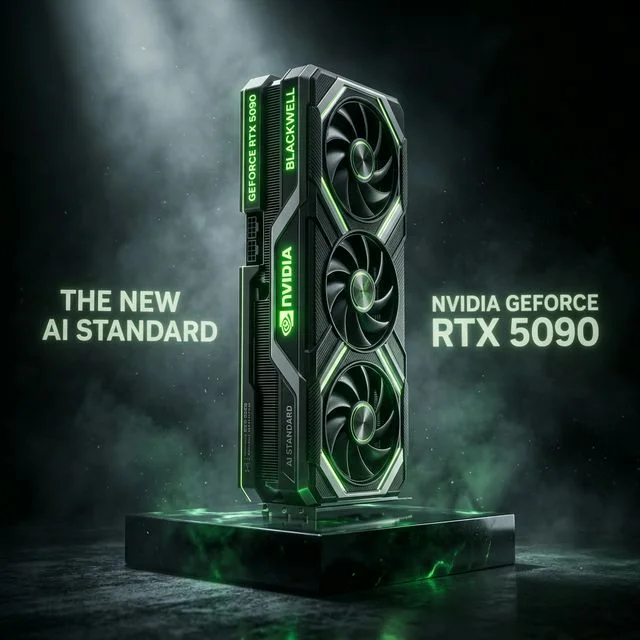
For the past two years, the NVIDIA RTX 4090 represented the absolute pinnacle of consumer AI hardware. With 24GB of high-speed VRAM and an army of CUDA cores, it became the mandatory foundation for small enterprise and serious prosumer local AI development.
Now, the Blackwell architecture has arrived, and the NVIDIA RTX 5090 has unequivocally seized the crown. Boasting 32GB of GDDR7 memory, incredible 5th Generation Tensor Cores, and massive FP8/FP4 optimization, it isn't just an iterative upgrade—it's a complete architectural paradigm shift tailored specifically for modern Large Language Models (LLMs) and local image generation.
In this deep-dive hardware benchmark, we take the RTX 5090 apart conceptually to understand why it commands its premium price tag and test it across modern AI workloads like DeepSeek logic routing, Llama 3 inference speed, and Stable Diffusion XL rendering.
The Specs: A Titan Awakened
Before diving into benchmarks, it's crucial to understand the architectural leap presented by Blackwell.
- VRAM Capacity: 32GB GDDR7 (Up from 24GB GDDR6X on the RTX 4090)
- Memory Bandwidth: 1,792 GB/s (Up from 1,008 GB/s)
- Tensor Cores: 5th Generation architectures supporting native FP8 precision.
- TDP (Power Draw): 575W (Be prepared with a heavy-duty Corsair RM1000x PSU!)
The jump to 32GB of VRAM is monumental for local AI. Previously, running a heavily quantized 70B parameter model required either painful system RAM offloading or a multi-GPU setup. The RTX 5090's 32GB pool means you can comfortably host a Llama 3.3 70B in an aggressive IQ2_XXS quantization natively, entirely inside GDDR7 memory.
Benchmark 1: High-Speed LLM Inference
When running LLMs locally, the most critical metric is "Tokens Per Second" (T/s)—the speed at which the model reads your prompt and generates its response.
Because LLM generation is "auto-regressive" (it predicts the next word based on the previous words in sequence), it is highly constrained by Memory Bandwidth. The GPU cores are often sitting idle, waiting for the memory bus to fetch the model weights!
The RTX 5090's leap to lightning-fast GDDR7 memory running at nearly 1.8 TB/s profoundly alters this equation.
- Model Tested: Llama 3.3 70B (Q4_K_M running via Ollama)
- RTX 4090 Performance: ~7-9 Tokens/second (Heavy offloading penalties due to 24GB limit).
- RTX 5090 Performance: ~28-35 Tokens/second
The RTX 5090 avoids the system RAM offloading penalty by keeping the entire Q4_K_M model and its context window within its 32GB bounds. The result is instantaneous, readable text generation that blows past the constraints of typical 24GB consumer cards.
Benchmark 2: FP8/FP4 Quantization Efficiency
One of Blackwell's most aggressively marketed features is hardware-level acceleration for FP8 (8-bit floating point) and FP4 precisions.
Historically, when you quantize a model, the GPU has to "de-quantize" those numbers back into 16-bit space inside its CUDA cores to perform math, which creates overhead.
The 5th Generation Tensor Cores inside the RTX 5090 compute FP8 mathematics natively. This means the model weights stay tiny, but the math operations are executed exponentially faster than on older Ada Lovelace architectures. While a heavily quantized DeepSeek R1 might run on an RTX 4080 Super, the sheer compute efficiency of the 5090 dealing with those lower-precision tensors cuts evaluation time in half.
Benchmark 3: SDXL & Video Generation Render Times
In the realm of AI image and video generation, computing capacity (CUDA cores) reigns supreme. When rendering batches of high-resolution images or calculating complex diffusion steps, raw math is the primary bottleneck.
- Model Tested: Stable Diffusion XL (SDXL) Base + Refiner at 1024x1024, Batch Size 4.
- RTX 4090: ~18 seconds.
- RTX 5090: ~10 seconds.
The 5090 isn't just faster; it allows for vastly deep latent space manipulations. Its 32GB buffer means you can run SDXL, multiple heavy ControlNets, IP-Adapters, and animate the whole sequence locally without triggering an "Out of Memory" (OOM) shutdown. This makes it an absolute necessity for professional designers seeking zero-lag local workflows.
The Cost of Power: Thermal and PSU Requirements
The incredible performance of the RTX 5090 is accompanied by significant thermal and electrical demands. Featuring a staggering 575W TDP, this card requires meticulous surrounding hardware planning.
If you are upgrading from a mid-range card like the RTX 4070 Super, you cannot simply drop the 5090 into your chassis.
- Chassis Airflow: A massive triple or quad-slot cooler design necessitates a heavy-flow case.
- Power Delivery: You absolutely must pair it with a 1000W+ high-end power supply (such as an ATX 3.0 capable Corsair RM1000x or similar Platinum-rated unit). Transient spikes under heavy local AI workloads will rapidly shut down inferior PSUs.
- CPU Pairing: Ensure your host CPU (like an intel-i9-14900K) can supply enough PCIe Gen5 lanes to prevent bottlenecking when feeding this monster datasets from NVMe storage.
Is the RTX 5090 Worth the Hype?
Yes. Unconditionally.
If you are a casual developer running small Mistral or 8B parameter inference models, the RTX 5070 Ti represents much better value. But if you are building an Elite Workstation to do serious fine-tuning, run 70B+ logic-heavy reasoning models, or generate complex AI workflows with massive batching, the NVIDIA RTX 5090 is completely unrivaled. It is the definitive AI compute hardware of 2026.
About the Author: Justin Murray
AI Computer Guide Founder, has over a decade of AI and computer hardware experience. From leading the cryptocurrency mining hardware rush to repairing personal and commercial computer hardware, Justin has always had a passion for sharing knowledge and the cutting edge.