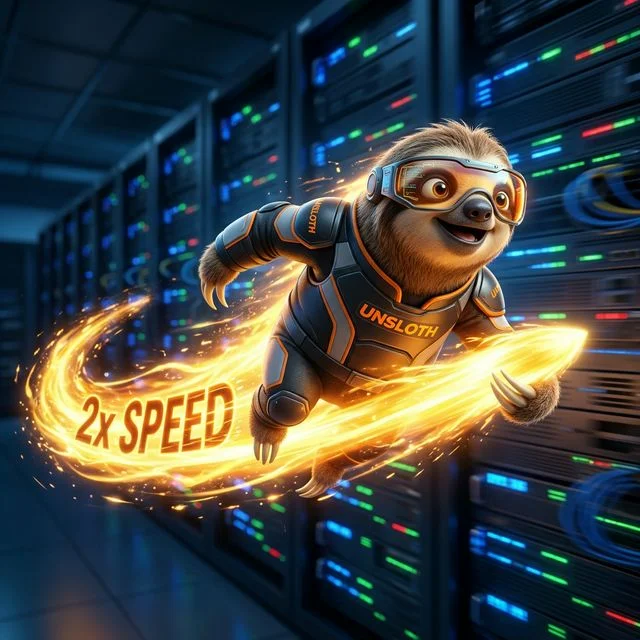
When you enter the world of local artificial intelligence, the overarching narrative is typically centered around inference speed. Getting a model to reply quickly is a satisfying metric. However, when you pivot from simply chatting with models to actively training them, you encounter a brutal new reality: time.
Training a model—even a highly efficient QLoRA implementation of Llama 3 8B—can easily take hundreds of hours on a consumer GPU. For developers iterating on ideas, this turnaround time is unacceptable.
This is where the Unsloth framework enters the chat. Unsloth has rapidly become the quintessential secret weapon of the local AI community, promising training speeds that are 2x to 5x faster than standard Hugging Face pipelines, all while using up to 70% less VRAM. In this guide, we will break down exactly how Unsloth achieves this black magic, and detail the minimal hardware requirements you need to fully unlock its potential.
What is Unsloth?
Unsloth is essentially an aggressively optimized wrapper for the Hugging Face transformers and trl libraries.
At its core, taking a base model and training it to adopt a new personality, syntax, or knowledge base requires feeding it data (thousands of tokens) through a forward pass, calculating the loss against your desired outcome, and executing a backward pass to update the weight gradients. In an un-optimized environment, this math is surprisingly bloated, utilizing standard PyTorch operations that aren't inherently tailored for maximum NVIDIA Tensor Core throughput.
Unsloth completely rewrites the core mathematical operators of modern LLM architectures (like Llama, Mistral, and Qwen) using custom Triton kernels. These kernels are handwritten to perfectly align with the physical architecture of modern GPUs, ensuring that every single compute cycle is utilized.
The Mathematics of the Speedup
How does wrapping code in a Triton kernel lead to a mathematical speedup? It eliminates "idle time."
During standard LLM training, your GPU is heavily memory-bound. The massive data tensors must be fetched from your VRAM, loaded into the tiny SRAM of the CUDA cores to perform math, and written back to VRAM. This constant back-and-forth shuffling of data is incredibly slow.
Unsloth uses "kernel fusion." Instead of executing five separate PyTorch commands (which involves five separate read/writes to VRAM), Unsloth mathematically combines those five operations into a single massive equation inside a custom kernel. The data is pulled from VRAM once, the math is fully executed inside the incredibly fast SRAM block, and the final result is written back.
This dramatically reduces Memory Bandwidth usage, directly leading to a 2x to 5x massive reduction in training times.
The VRAM Miracle
The most celebrated aspect of Unsloth isn't just the sheer speed; it's the VRAM reduction.
During the backward pass of training (when the model calculates how to update its weights), the system must store a massive amount of intermediate mathematical results. This is heavily responsible for triggering Out-Of-Memory (OOM) crashes on budget hardware.
By utilizing techniques like smart gradient-checkpointing and Flash Attention natively, Unsloth mathematically avoids storing massive redundant geometric arrays in memory.
Real World Example: Fine-tuning Llama 3 8B via standard QLoRA natively requires roughly 16 GB of VRAM. You would absolutely need a 16GB GPU. Using Unsloth, that exact same training run drops to roughly 6.5 GB of VRAM.
This is industry-shaking. It means that cheap, legacy hardware like the RTX 3060 12GB or an RTX 4070 Super is no longer barred from high-level machine learning research.
The Hardware Paradigm Shift
Because Unsloth essentially guarantees that VRAM footprint will remain incredibly tight for 8B models, the priority for prospective hardware buyers shifts dramatically from VRAM capacity directly back to raw processing speed setup.
If you are building an Elite Workstation or a high-end Mid-Range Build, Unsloth changes the math of what you can accomplish.
For instance, an RTX 5090 (32GB) running standard PyTorch code might barely be able to train an unquantized 14B model before hitting an OOM error. Running Unsloth, the 5090 is completely unchained, allowing a single prosumer computer to begin experimenting with multi-epoch native fine-tuning of models much larger traversing deep sequence context boundaries without crashing.
Utilizing Flash Attention 2
Part of the Unsloth framework's magic involves tight integration with Flash Attention 2. Flash Attention is a massively optimized algorithm for the "Attention Mechanism" that allows an AI model to remember previous parts of a conversation.
If you attempt to train a model with an incredibly long sequence length (for instance, throwing entire Python script files as examples into a coding dataset), the memory requirements of standard Attention calculate exponentially (O(n²)). Flash Attention changes this to scale linearly, avoiding catastrophic VRAM blowouts.
However, to use Flash Attention cleanly, you need modern hardware. NVIDIA's Ampere (RTX 30-series) and Ada Lovelace (RTX 40-series) architectures support it brilliantly. The latest Blackwell cards (RTX 5080 and RTX 5090) absolutely scream while running it natively.
If you are stuck on older architectures (like the GTX 1080), you will miss out on these extreme hardware acceleration limits.
Setting Up Unsloth
Integrating Unsloth is stunningly simple. If you are already running a Hugging Face SFTTrainer (Supervised Fine-Tuning Trainer) script in Python or Jupyter, you simply change your model import from AutoModelForCausalLM to FastLanguageModel. Unsloth automatically handles the patching, quantization definitions, and gradient checkpointing invisibly.
If your environment utilizes Windows, the easiest path forward is utilizing Windows Subsystem for Linux (WSL2), as compiling the specialized Triton kernels directly in standard Windows PowerShell can be highly problematic.
Conclusion
Unsloth is not just a marginal improvement; it represents a generational leap in software optimization catching up to hardware capabilities. By drastically lowering the VRAM ceiling and doubling processing speeds via kernel fusion, it unlocks deep computational abilities for smaller cards and massively multiplies the throughput capability of flagship GPUs like the RTX 5090.
When testing your specific model combinations and dataset context-lengths, make sure to cross-reference your hardware via our Will It Run? benchmarking tool to accurately estimate your VRAM thresholds underneath the Unsloth umbrella.
About the Author: Justin Murray
AI Computer Guide Founder, has over a decade of AI and computer hardware experience. From leading the cryptocurrency mining hardware rush to repairing personal and commercial computer hardware, Justin has always had a passion for sharing knowledge and the cutting edge.